Email design that renders where your list actually reads it.

We design and build B2B emails and the landing pages they point at, then hand over the HTML. Renders everywhere is a specific claim here rather than a slogan: it means the markup is written for the rendering engines your recipients have, including the one that stopped changing in 2007.

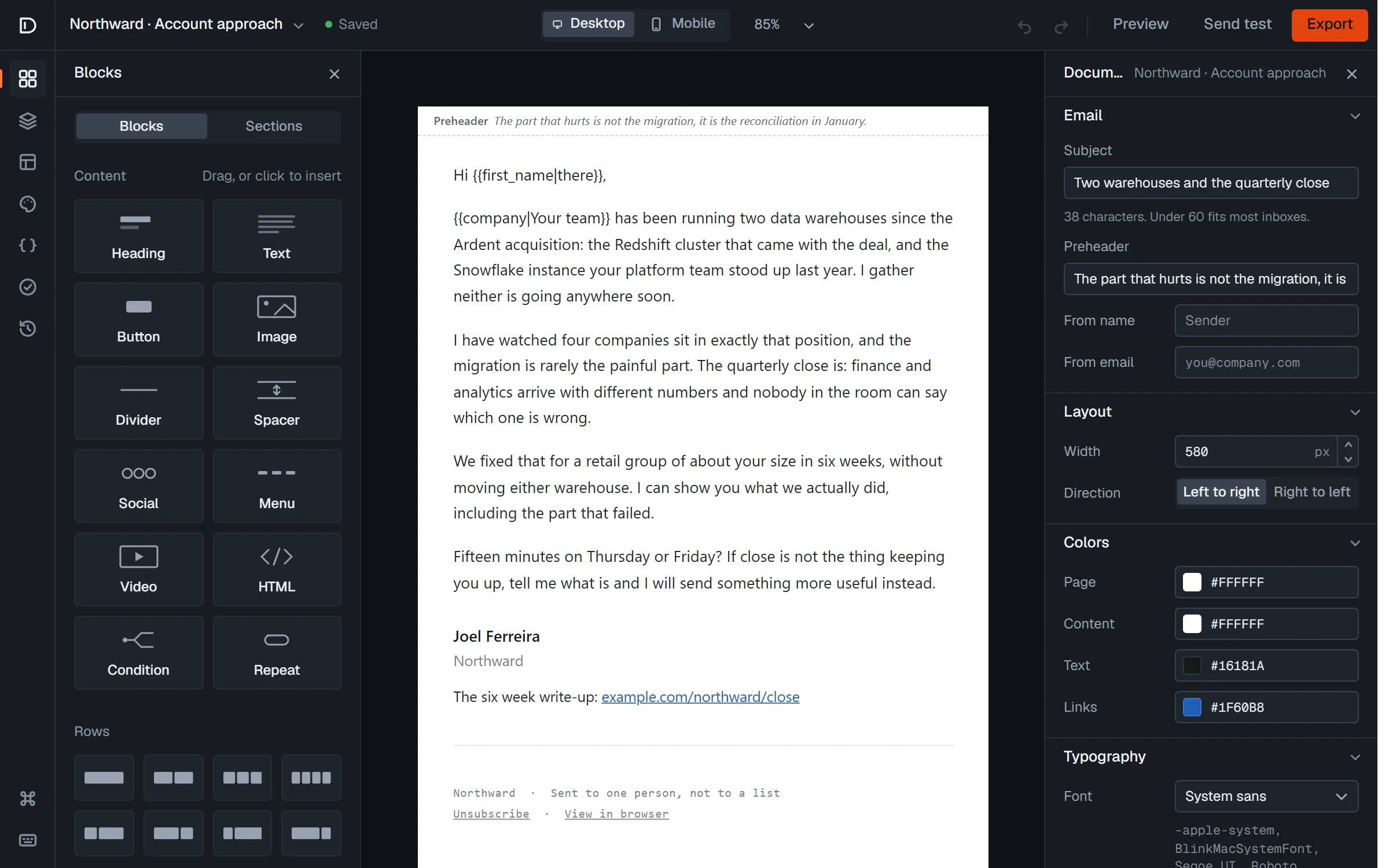
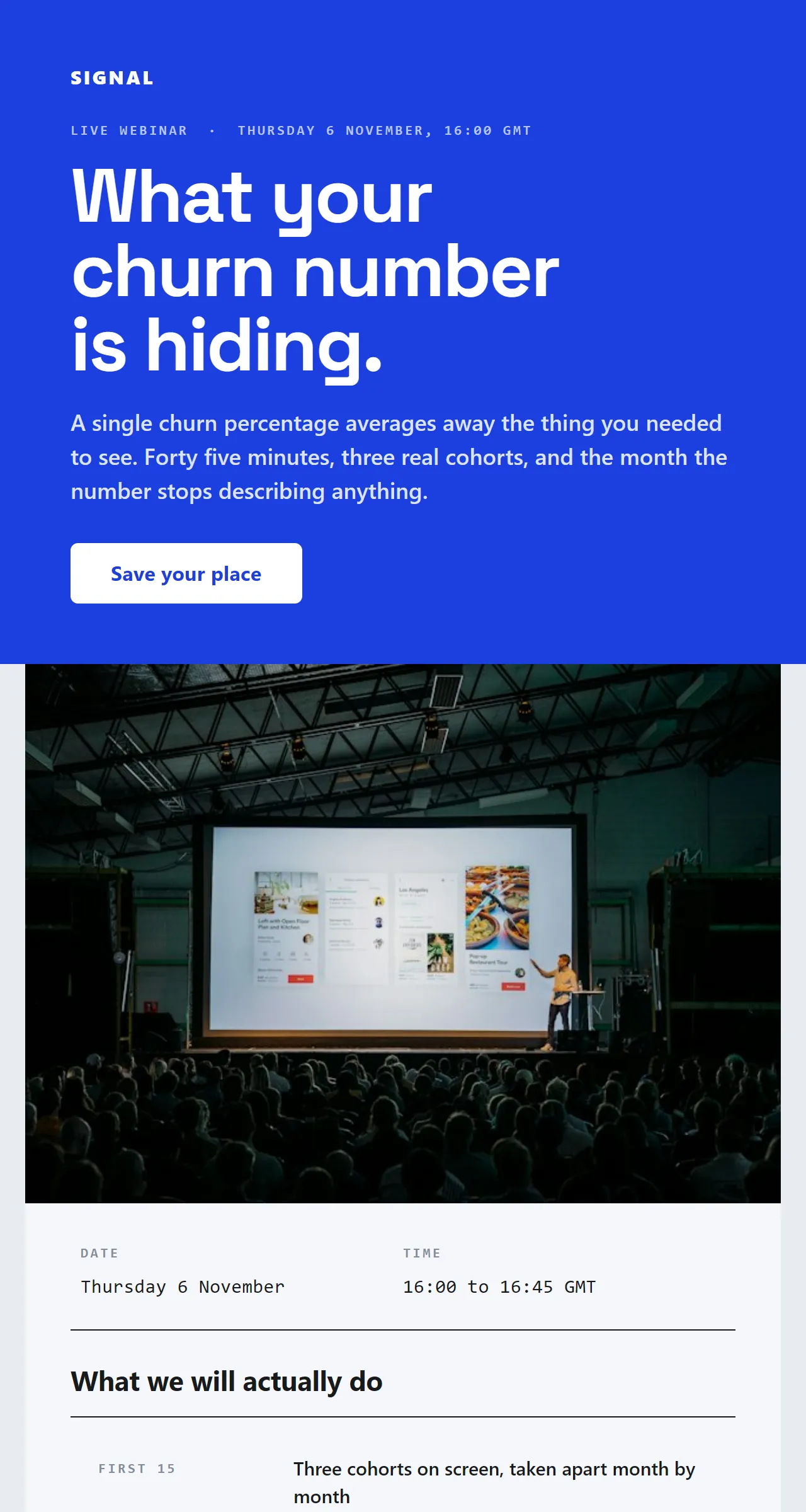
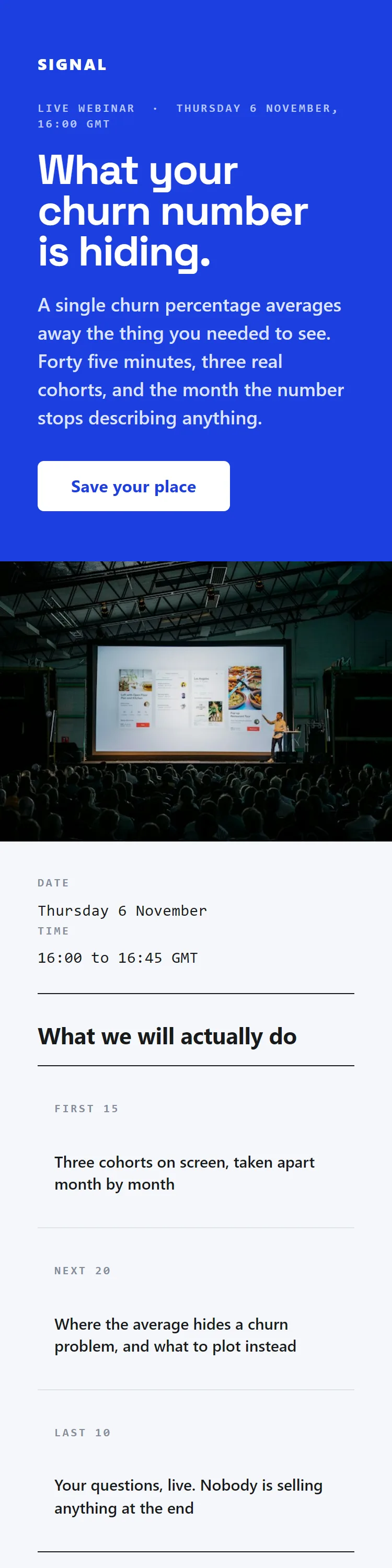
Rendered here, not described.

Six of the forty. Each one below is the real HTML in a frame on this page rather than a screenshot of one, which is the only honest way to make the claim this page makes.

Browse all forty

Right for you if
The words are fine and the email still looks assembled in a hurry, or it breaks in Outlook and nobody on your team can say why.
What it includes
Design, build and handover as HTML you own, checked in the clients your list actually uses, plus the landing page the email points at where there is one.
What it does not include
We do not lock the files inside a builder you have to keep paying for, and we do not design a brand from nothing. If there is no typeface, palette or logo yet, that is a different job and a different supplier.

Renders everywhere is a claim about Outlook, and this is what it means.

Outlook 2007 was the release that moved Outlook's HTML rendering onto the parsing and rendering engine from Word. Microsoft's own reference documentation says so, and it lists what that engine does not support: float, position, overflow, z-index, max-width, min-width, background-image and background-repeat, among others. The supported style properties are a subset of CSS level 1, which does not contain border-radius at all. Modern email development is mostly the story of working without those.

Word’s engine has noso the email uses
float, positionLayout is a table. Columns are cells, not floated divs.
max-width, min-widthFixed pixel widths inside an Outlook-only ghost table, with the fluid version for everybody else.
border-radiusA VML rounded rectangle behind the link, so the whole button is a target rather than the text inside it.
background-imageA VML fill behind the row, with a solid colour underneath it when that fails too.
overflow, z-indexNothing is layered and nothing is clipped. Everything stays in flow.
Left column: properties Microsoft documents as unsupported. Right column: what each absence forces.
The detailClose

So the markup is older than it looks, and deliberately. Layout is tables with explicit widths, because float and position are not available to hold a column in place. Buttons are drawn twice, once as a VML rounded rectangle for that engine and once as a styled anchor for everyone else, because there is no border-radius in the supported list. Full-bleed bands need a ghost table, a fixed-width table wrapped in an mso conditional comment, because max-width is unsupported and a div relying on it has no width to paint against. The conditional comments are how the two versions of every component stay out of each other's way.

Windows now has two Outlooks, which makes this harder rather than easier. Microsoft describes the new one as built on WebView2 and inspired by the Outlook web experience, and at the time of writing lists it as a preview for commercial accounts and generally available for consumer ones. A B2B email has to survive both, so the answer is not to pick one and hope.

Tables for layout
Nested tables with explicit pixel widths, because float, position and overflow are all on the unsupported list for that engine.
VML buttons
A v:roundrect with v-text-anchor set to middle and an arcsize matched to the CSS radius, sitting beside a padded anchor in a not-mso block. A missing v-text-anchor is why a button previews correctly and ships with its label cropped.
Ghost tables
A fixed-width table inside an if mso conditional comment, so a full-bleed band has something with a real width behind it in the client that ignores max-width.
Pixels, not em or rem
Relative units behave unpredictably in that engine, so the VML block and the fallback anchor are both specified in pixels and kept in sync by hand.
Inline styles, plus the block that has to survive
Styles are inlined because some clients strip the head, and the media queries that stack columns on a phone live in the style block where it survives. Both are written, because both are needed.

What the handover contains, and who owns it.

The files, on the day they are finished. Not access to our account, not a seat in a builder, not an export you have to ask for.

  • campaign.htmlThe built email, inlined, ready to paste into any platform.
  • campaign.txtThe plain-text part, written rather than auto-generated from the HTML.
  • img/Every image, sized for retina, hosted wherever you choose.
  • campaign.jsonThe editable source. Opens in the free editor on this site.
  • README.mdThe merge tags used, the fallbacks set, and what breaks if one is renamed.
No builder to keep renting, and no account needed to open any of it.
The detailClose
The HTML
One file per email, styles inlined, conditional comments in place, merge tags in the syntax your ESP expects. It opens in a text editor and it is yours.
The images
Exported at the sizes actually used and ready to host wherever you host things. Nothing embedded as base64, because that inflates the source toward the clipping limit for no benefit.
The editable source
The document in the editor on this site, so a change next quarter does not need us. The editor is free, has no account and no export limit, so keeping this costs you nothing.
A note on what is load bearing
Which parts of the build will break if they are edited, and how. Usually the ghost tables and the VML block, because they are the parts that look like redundant markup to anybody who has not met that engine.

The rest of it.

The parts that are an argument rather than a mechanism. Open whichever one you are actually weighing.

What we open it in, and what we will not pretend to have checked.

A build is not finished when it looks right in a browser preview. It is finished when it has been opened. We take the client breakdown from your own ESP rather than guessing at it, test against the clients that are actually in your list, and tell you plainly which ones we did not open it in. A list of tested clients with three names on it is more useful than a claim of universal support.

Two failures are worth naming because they are silent. Gmail clips any message whose source goes past 102 kilobytes, hiding the rest behind a View entire message link, which is where the footer and the unsubscribe link usually live. That is why images are hosted rather than base64 embedded, and why the size of the rendered HTML is something we watch while building rather than discover on send day.

The second is dark mode. Clients invert differently and some of them recolour text you specified, so a logo with a white matte becomes a white rectangle on a dark card in one client and looks correct in the next. It is a design decision rather than a bug: the fix is usually a mark that works on both grounds, not a clever hack that works in one client this quarter.

The landing page is part of the email.

An email that lands, is read and is clicked, and then arrives at a page that looks like it came from a different company, has spent the only click it was going to get. So the page is designed alongside the email rather than after it.

In practice that is one page per campaign or per cluster: the same argument as the email at longer length, the evidence the email only had room to gesture at, and one thing to do. It is built as static HTML or in whatever your site runs on, and it is handed over the same way the email is.

The free tool and the templates are the portfolio.

We have no client logo wall and we are not going to invent one. What we have instead is the editor we built for our own client work, running on this site, free and with no account, and 40 email templates we designed and gave away. Every thumbnail on the templates page is the real template put through the real renderer, not a screenshot of one.

That is a harder thing to fake than a case study, and it is the honest answer to whether we can do this work. Open the editor, change something, export the HTML and read it. If the markup coming out is the kind of markup you want in your emails, we are probably the right shop. If it is not, you have saved a call.

What we do not do.

We do not build a brand from nothing. If there is no typeface, no palette and no logo, that is a different job and a studio that only does that will do it better than we would.

We do not build interactive email: AMP, accordions, carousels, hover states that carry meaning. They work in a minority of clients and fail quietly in the rest, and the fallback is what most of your list sees, so the fallback is the real design and the interaction is decoration you paid for twice.

And we do not hand over a design file and call it delivered. The deliverable is built and tested HTML, because the gap between a design and a working email is where most of the cost of this work actually sits, and an agency that stops at the design has handed you the cheap half.

Questions.

Do you work in our brand, or design a new one?

In yours. We will push on the parts that do not survive an inbox, usually type sizes that are too small at 320 pixels wide and a logo that needs a version for dark grounds, but the identity is yours and we are not quietly redesigning it.

Which email clients do you test in?

The ones in your list, taken from your ESP's client report rather than from a generic matrix. That normally means a Windows Outlook, Outlook on the web, Gmail on web and Android, Apple Mail on macOS and iOS, and whatever else the report shows above a few percent. We tell you what we did not open it in.

Can we edit the emails afterwards without you?

Yes, and the handover is built so you can. The HTML is plain files and the editable source opens in the free editor on this site. The note that comes with it says which parts are load bearing, because the ghost tables and the VML block look like clutter until you delete one.

Will it work in our ESP?

Yes, and the merge syntax is written for the one you use. Pasting HTML into an ESP is where most handovers break, so the build is tested inside your account, not ours, before anyone calls it finished.

Why is the markup so old-fashioned?

Because one of the engines it has to survive is the Word HTML engine, which Microsoft documents as supporting a subset of CSS level 1 with no float, no position and no max-width. Tables, VML and conditional comments are not nostalgia, they are the only things that hold their shape there.

Do you do the sending too?

Only if you want it. Design and build stands on its own, and plenty of teams take the files and send them themselves. If you want the sending as well, that is the outbound email service and it uses your domain.

Sources on this page: Microsoft, Word HTML and CSS rendering capabilities in Outlook, Microsoft, overview of the new Outlook for Windows, Litmus, how to keep Gmail from clipping your emails.

Start a conversation.

Tell us what you are trying to fix. If we are the wrong people for it, we will say so in the reply and point you at what we would do instead.

  • A reply from a person, within one working day.
  • If it sounds like a fit, a thirty minute call. No deck.
  • A written plan within a week of that call, and no retainer until you have read it.

If a form is not your thing, hello@draftship.io reaches the same inbox.

Plain sentences are fine. Who you sell to, what has been tried, and what is not working is enough to get a useful reply.

Four fields, one inbox. No newsletter, no sequence, no one else gets your address.