Free email tools
Check your domain before you send, read a header after a message lands, and build an email that holds up in Outlook. Every tool is free and none of them asks you to sign up.
- 13 checkers and builders
- Domain checks read public DNS from our server
- Message checks run in your browser
Is your domain ready to send?
Reads your SPF, DKIM, DMARC, MX and blocklist records, and says what to change, with the record to publish.
Free. Reads your SPF, DKIM, DMARC, MX and blocklist records, and says what to change.
Three bigger tools
For the email itself: read every message of a mail merge before it goes, build one in the browser, or start from a template.
- Mail-merge previewPaste your copy and your list, and read each message as it will arrive, with empty fields caught.
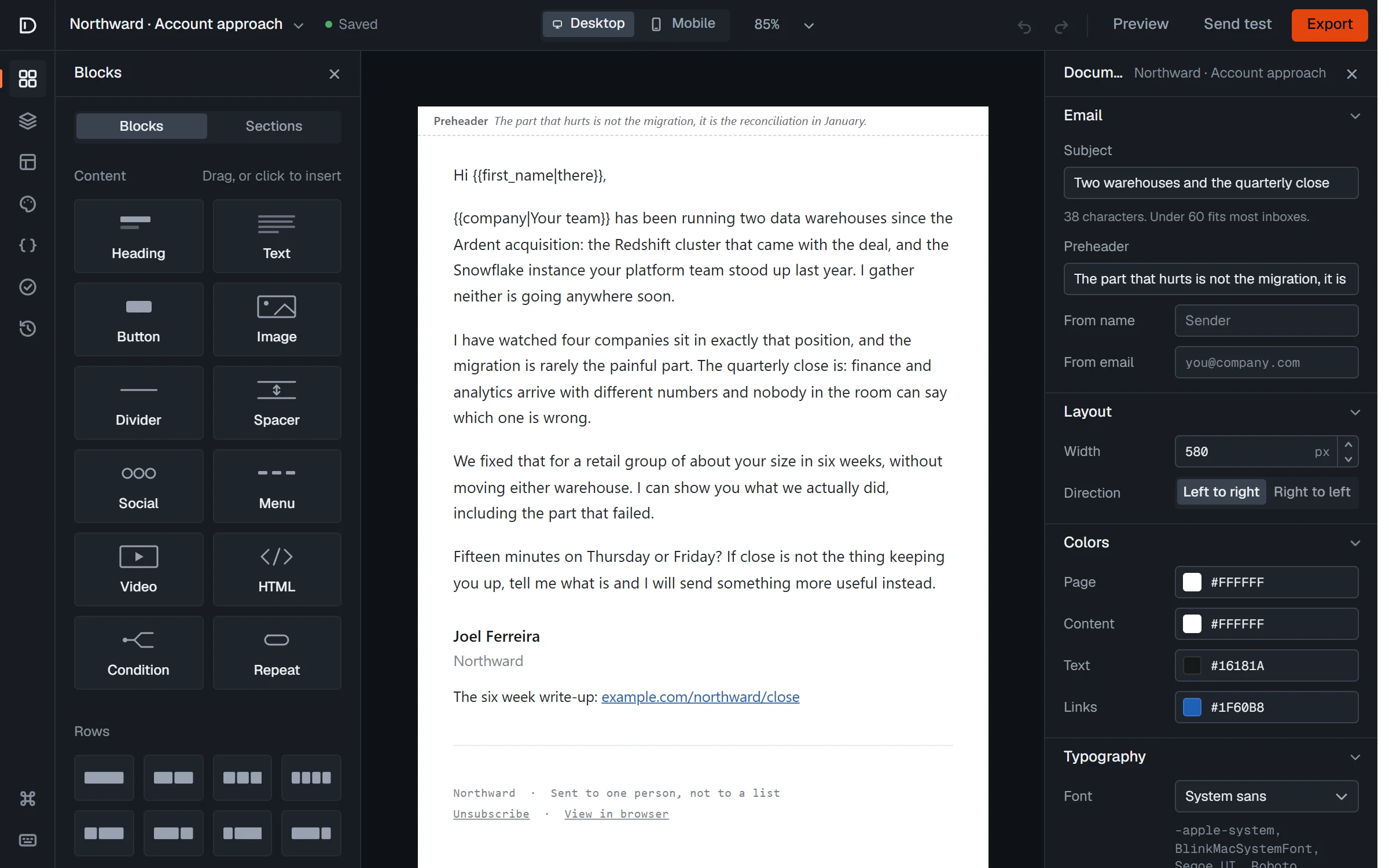
- Email editorBuild an email in the browser and export HTML that holds up in Outlook. No account, no limit.
- 42 email templatesDesigned and rendered on the page. Open any of them in the editor and take the HTML.
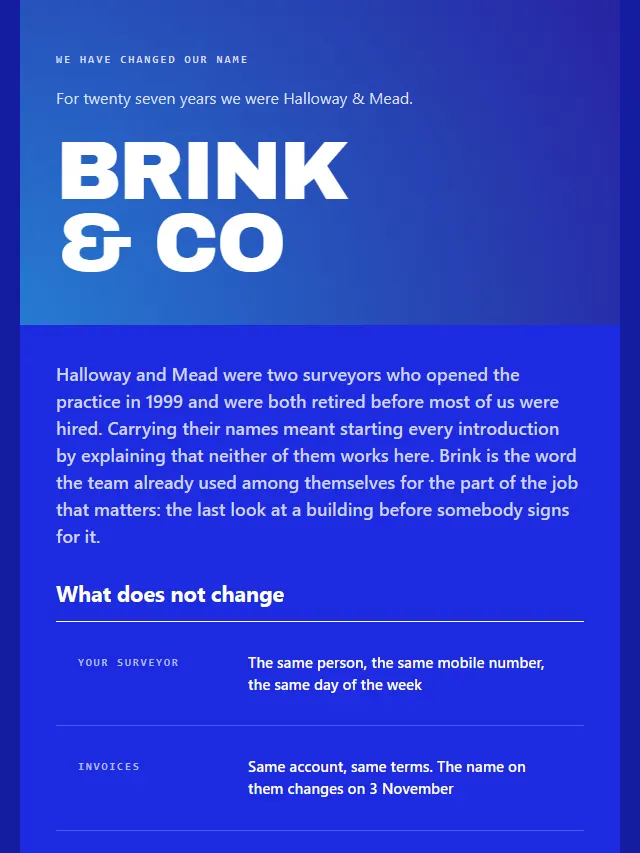
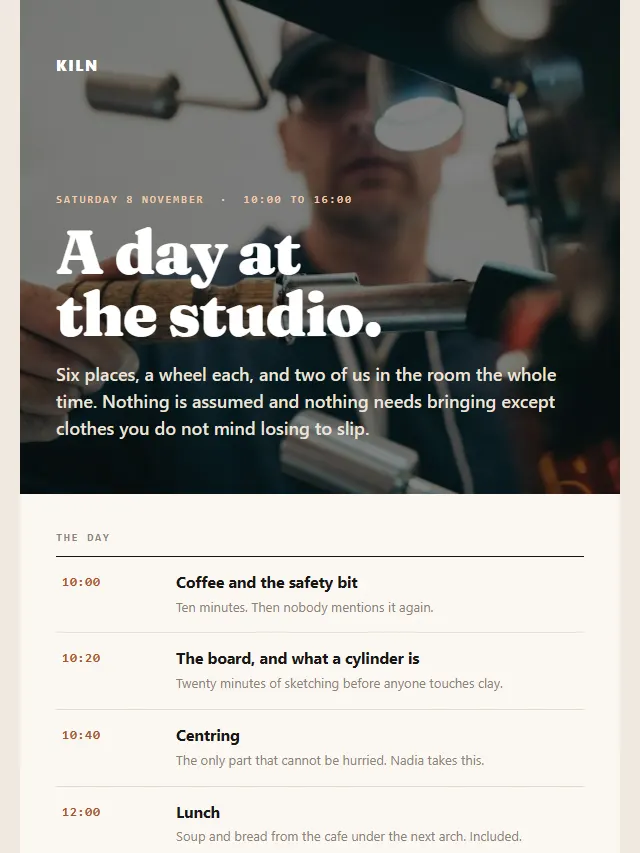
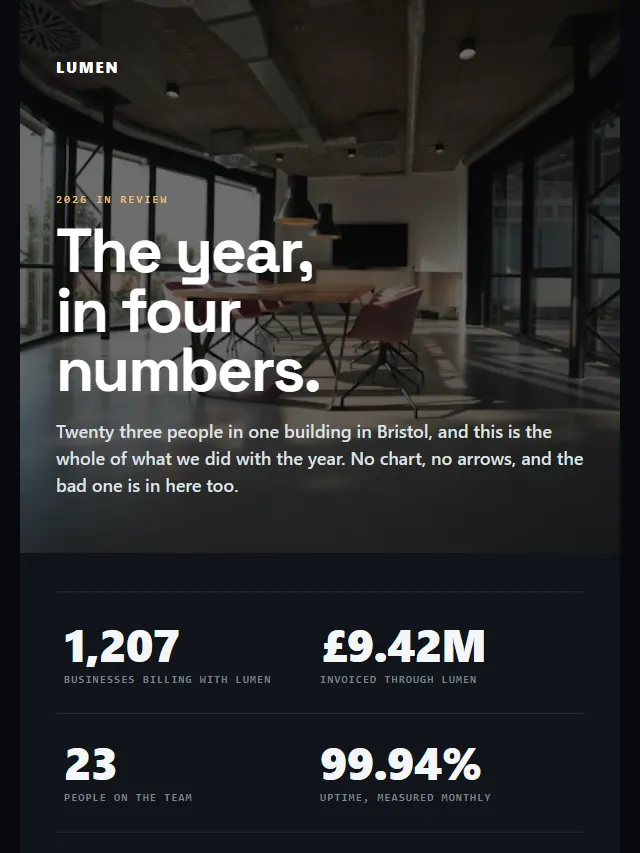
Check your domain
What a receiving mail server reads from your DNS before it decides where your email goes.
- Email domain checkerCheck a domain's SPF, DKIM, DMARC, MX, BIMI, MTA-STS and blocklist status, with the record to publish for each problem.
- DMARC checkerLook up a domain's DMARC record, see which policy applies to its mail, and build the next record to publish.
- SPF record checkerCheck a domain's SPF record and count its DNS lookups through every include against the limit of 10.
- DKIM checkerFind a domain's DKIM keys at common selectors or your own, and read each key's type and length.
- MX lookupLook up a domain's MX records in priority order, check each host resolves, and see which provider hosts its mail.
- Email blacklist checkCheck a domain against three domain blocklists and its mail servers' addresses against three IP blocklists.
Check a message
One email, before you send it or after it arrives.